Guides
What Is an AI Agent? A Plain-English Explainer
An AI agent is software that pursues a goal on its own: it plans steps, uses tools, checks results, and keeps going. Here is how it works, with real examples and honest limits.
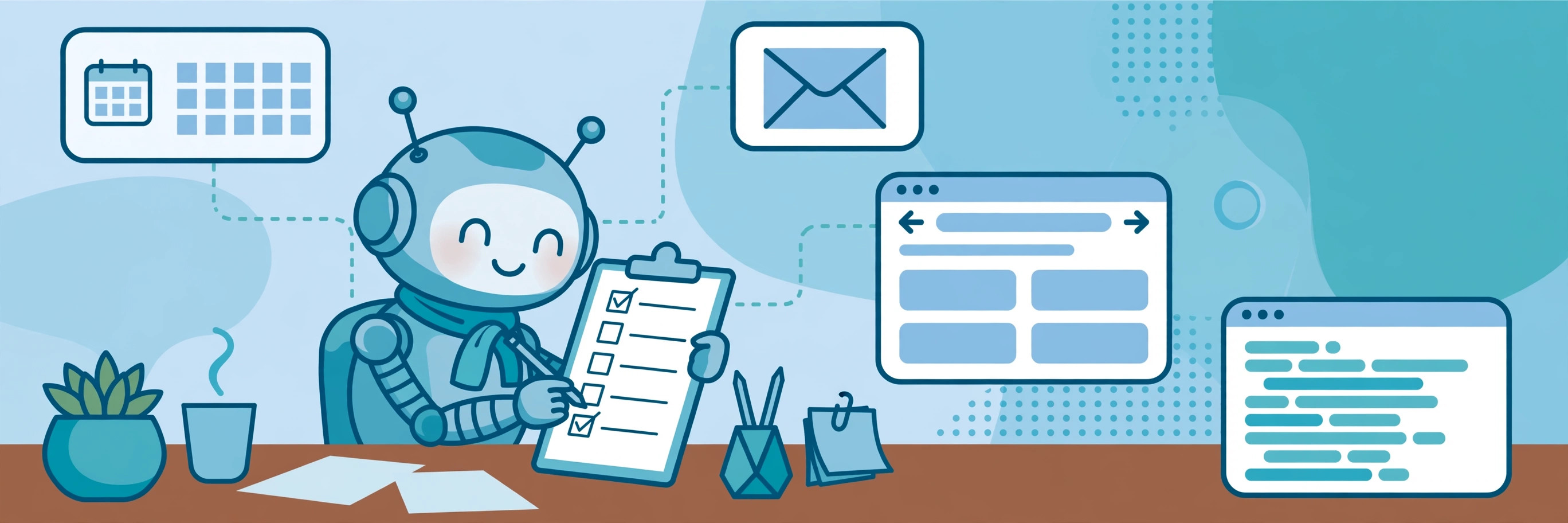
An AI agent is software that works toward a goal on its own. You give it an outcome — not a single question — and it figures out the steps, uses tools to carry them out, checks its own results, and keeps going until the job is done or it gets stuck. The short version: a chatbot answers, an agent acts.
Ask a chatbot "what is the weather in Denver?" and it tells you. Tell an AI agent "book me a flight to Denver next Friday under $300" and it searches airlines, compares prices, picks a flight, fills in the booking form, and confirms the purchase. That difference — answering versus doing — is the whole idea.
Agents are not a new kind of magic. They are a large language model (the same kind of model behind ChatGPT or Claude) wrapped in a loop that lets it plan, use tools, and remember what happened. That loop is what turns a text generator into something that can do multi-step work while you do something else.
How an AI agent works: the perceive-plan-act loop
Almost every agent runs the same four-step loop, over and over, until the goal is met:
- Perceive. The agent reads its situation: your goal, the files or apps it can see, and the results of whatever it just did.
- Plan. It reasons about the next step. If the first attempt failed, it picks a different approach instead of repeating the same one.
- Act. It calls a tool: a web search, an API, a database query, running code, sending an email, or clicking through a website.
- Observe. It reads the result of that action and decides whether it is closer to the goal, then loops back to step one.
Most agents also keep a memory — notes about what they have already tried, facts they have learned, and your preferences — so they do not start from scratch on every step.
The four parts inside every agent
Strip away the marketing and every agent is built from the same four pieces:
- The brain. A large language model such as Claude, GPT, or Gemini, which does the reasoning and planning.
- Tools. The functions the agent can call: search the web, read a file, query a database, send an email, run code, or open a pull request. An agent with no tools can only generate text.
- Memory. Short-term notes about the current task, plus longer-term memory of past tasks and preferences.
- The loop. The orchestration logic that keeps the perceive-plan-act cycle running until the goal is done or a stopping condition is hit.
Two technical developments made modern agents practical: models got reliable enough to follow multi-step instructions, and every major model now supports function calling — the ability to invoke external tools mid-conversation. Anthropic's Model Context Protocol (MCP), an open standard for connecting models to tools and data, has also made it easier for agents to plug into real apps instead of living in a demo.
AI agent vs chatbot vs assistant
| Chatbot | AI assistant | AI agent | |
|---|---|---|---|
| What it does | Answers questions | Helps with a task while you watch | Pursues a goal on its own |
| Acts without a prompt at each step | No | Sometimes | Yes |
| Uses external tools | Limited | Some | Yes — search, email, code, APIs |
| Remembers across steps | Within one chat | Within one session | Across steps and tasks |
| Typical example | FAQ bot | ChatGPT drafting an email | A coding agent fixing a bug |
The lines blur in practice. ChatGPT and Claude now offer agent-style modes that can browse, run code, and complete multi-step tasks. The label matters less than the behavior: does it stop after one answer, or does it keep working toward your goal?
Types of AI agents you will actually meet in 2026
Coding agents
The most widely used agents today. Tools like Claude Code and OpenAI Codex read a codebase, edit files, run tests, fix errors, and commit changes. Former OpenAI co-founder Andrej Karpathy described the shift in early 2026, saying he had moved from mostly manual coding with autocomplete to mostly agent-driven coding within a few months.
Research agents
Give one a question and a list of sources, and it browses each site, reads release notes and reports, extracts the relevant changes, and produces a structured summary. A competitor-tracking report that would take a human analyst several hours can come back in a single unattended run.
Customer support agents
These live in inboxes and help desks, reading messages, drafting context-aware replies, routing conversations to the right people, and flagging only the cases that truly need a human. They work best when they can see past conversations and order history.
Computer-use agents
Instead of calling an API, these agents look at a screen and click, type, and navigate like a person — useful for websites and apps that have no API. OpenAI and Anthropic both ship computer-use capabilities, and they are the most error-prone kind of agent, because a changed button or pop-up can throw them off.
Voice agents
The same perceive-plan-act loop applied to spoken conversation: answering calls, handling customer inquiries, scheduling appointments. This category grew fast in 2026 as voice models got reliable enough for real phone calls.
What agents are good at — and what they are not
Agents are genuinely useful for well-defined, repeatable, multi-step work: researching a topic across many sources, triaging an inbox, drafting and sending routine messages, writing and testing code, and monitoring something over time. Gartner predicts 40% of enterprise apps will include task-specific agents by the end of 2026, up from under 5% in 2025 — a sign that businesses are finding real uses, not just demos.
They are still unreliable at open-ended judgment calls, tasks where a small mistake is expensive, and anything that needs real-world common sense or accountability. An agent can book the wrong flight, email the wrong person, or confidently summarize a document it misread. The more irreversible the action — spending money, sending messages, deleting data — the more you should keep a human in the loop.
Staying in control: guardrails that matter
- Approval for spending and sending. Require a human OK before an agent pays for anything or sends an external message.
- Spending caps. Set hard limits on what an agent can buy or how many API calls it can make.
- Least privilege. Give it access only to the apps and data the task needs — not your whole inbox or every account.
- Logs. Check what the agent actually did, not just what it says it did. Good agents keep a readable trail of every action.
- Stop conditions. A maximum number of steps or a time limit, so a confused agent cannot loop forever on your dime.
How to try an AI agent yourself
You do not need to build anything. The easiest first step is an agent mode inside a tool you already use: ChatGPT's agent mode, Claude Code for coding, or a research agent like Perplexity's deep research. Pick a low-stakes, well-defined task — "summarize the last 30 days of news about electric bikes and give me a table of the five biggest stories" — and watch how it works. Check its sources and its steps before you trust it with anything that costs money or reaches a customer.
If you want to build one, the simplest path is a framework that handles the loop for you and lets you define the tools. But for most people, using an existing agent on a real task teaches more in an afternoon than reading about the architecture for a week.
Frequently asked questions
Is an AI agent the same as a chatbot?
No. A chatbot responds to one message at a time. An agent takes a goal, plans a sequence of actions, uses tools, and keeps going until the task is done — without asking you what to do at each step.
Do AI agents need the internet?
Most do. Their tools — web search, APIs, email, cloud apps — live online, and the language model itself usually runs on a provider's servers. A few agents run locally, but they are the exception.
Can an AI agent replace an employee?
For narrow, repeatable tasks, an agent can do a large share of the work. For judgment, relationships, and accountability, no. The realistic pattern in 2026 is agents doing the first draft and the routine steps, with a human checking the result and handling the exceptions.
Are AI agents safe?
They are as safe as their permissions and guardrails. An agent with your email password and no spending limit is a risk; the same agent with read-only access and approval required for sending is a useful helper. Treat permissions as the safety system, not the model's good intentions.
The bottom line
An AI agent is a language model given a goal, tools, memory, and a loop — software that acts instead of just answering. Coding and research agents already do real work in 2026, and task-specific agents are spreading fast across business software. Start with a small, low-stakes task, watch what it does, and keep a human in charge of anything irreversible.